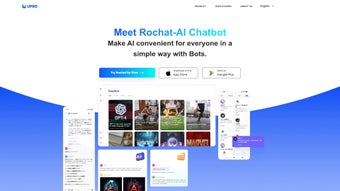

Download Rochat – AI Chatbot Subscription, Secure Web App, Free Trial
Introduction
Rochat, created by the innovative team at upro, is a subscription‑based AI chatbot platform that lives entirely in the browser. Launched on Softonic in May 2025, it targets businesses of every size that need a conversational assistant for customer support, lead qualification, or internal knowledge bases. Because Rochat is delivered as a pure web application, there is no need for local installations, heavy client‑side updates, or complex licensing paperwork.
Users simply open a modern browser—Chrome, Firefox, Safari, Edge, or even the legacy Internet Explorer 11 (with reduced features)—and they are presented with a clean, responsive interface that loads the latest language model automatically. The “cloud‑first” architecture means security patches, model upgrades, and new features are rolled out instantly, eliminating the maintenance burden that traditional on‑premise chatbot solutions impose. Roch at also offers a 14‑day free trial that grants unrestricted access to its core capabilities, allowing prospective customers to test integration hooks, experiment with conversation flows, and evaluate response quality before committing to a paid plan.
While the platform is still relatively new, the publicly available information suggests a focus on scalability, data privacy, and developer friendliness. Whether you run a small e‑commerce storefront that needs an automated help desk or a multinational enterprise looking to augment its contact‑center, Rochat promises a cost‑effective, secure, and easy‑to‑manage conversational experience that works on any device with an internet connection.
Key Features of Rochat
- Advanced Natural Language Understanding (NLU): Powered by a state‑of‑the‑art large‑language model, Rochat can interpret intent, sentiment, and context in multiple languages, delivering accurate responses even for ambiguous queries.
- Drag‑and‑Drop Bot Builder: A no‑code visual editor lets non‑technical users design conversation flows, add quick‑reply buttons, embed images or videos, and test changes in real time.
- Multi‑Channel Deployment: Deploy the same bot across website widgets, Facebook Messenger, WhatsApp, Slack, and other popular messaging platforms without writing extra code.
- Real‑Time Analytics Dashboard: Track conversation volume, response accuracy, user satisfaction scores, and conversion metrics from a single pane of glass, enabling data‑driven optimization.
- Seamless Integrations: Native connectors for leading CRMs (Salesforce, HubSpot, Zoho), ticketing systems (Zendesk, Freshdesk), and e‑commerce platforms (Shopify, WooCommerce) simplify workflow automation.
- Customizable AI Personality: Adjust tone, formality, and brand voice with a simple slider, switching between “Professional,” “Friendly,” or “Humorous” modes to match your brand identity.
- Secure Data Handling: End‑to‑end TLS 1.3 encryption, GDPR‑compliant storage, and optional on‑premise data residency for regulated industries protect sensitive information.
- Auto‑Learning Loop: Continuous model fine‑tuning based on real interactions, with a manual approval step that lets administrators control suggested improvements.
- Flexible Subscription Plans: From a free trial to a premium “Enterprise” tier that includes dedicated support, SLA guarantees, and custom pricing for high‑volume usage.
- Extensive Documentation & Community: Detailed API references, code samples, and an active user forum where developers share templates, best practices, and troubleshooting tips.
Installation & Usage Instructions
Rochat’s “installation” is reduced to creating an account, selecting a template, and connecting your preferred channels. Follow these steps to launch your first bot in under ten minutes.
1. Create Your Account
Navigate to rochat.upro.com and click “Start Free Trial.” Enter a valid email address, choose a strong password, and optionally link a Google or Microsoft account for single‑sign‑on. Verify your email via the link sent to your inbox, then you’ll be redirected to the Rochat dashboard.
2. Choose a Ready‑Made Template
The dashboard showcases industry‑specific templates such as “E‑commerce Support,” “Lead Capture,” “HR FAQ,” and “Technical Help Desk.” Each template includes a pre‑configured conversation flow that you can edit, add to, or replace entirely.
3. Customize the Conversation Flow
Using the drag‑and‑drop builder, add new nodes, configure quick‑reply buttons, and insert multimedia assets. The editor auto‑saves every change and provides a live preview on the right‑hand side, allowing you to test how the bot will respond to real users.
4. Connect to Your Channels
Open the “Integrations” tab. For a website widget, generate a JavaScript snippet and paste it into the HTML footer of your site. For messaging platforms, copy the provided API keys and follow the platform‑specific guide to link Rochat with Facebook, WhatsApp, or Slack.
5. Test in the Sandbox Environment
Rochat includes a sandbox where you can simulate user queries, test edge cases, and adjust NLU intents. This step helps you fine‑tune the bot before it goes live.
6. Publish and Monitor
When you’re satisfied with the configuration, click “Publish.” The bot becomes active instantly across all connected channels. Return to the analytics dashboard daily to monitor metrics such as First‑Contact Resolution, Average Response Time, and Customer Satisfaction (CSAT). Use these insights to refine conversation paths, add new FAQs, or adjust the AI personality.
Overall, Rochat’s workflow emphasizes speed, simplicity, and continuous improvement, enabling teams without deep technical expertise to launch a functional AI chatbot in minutes rather than weeks.
Conclusion, Compatibility, Pros & Cons, and FAQ
Compatibility
Rochat runs in any modern web browser that supports WebSockets and TLS 1.3, including Chrome, Edge, Firefox, Safari, and even legacy Internet Explorer 11 (with limited UI features). Because the application is cloud‑hosted, the user experience is identical on Windows, macOS, Linux, as well as mobile browsers on Android and iOS. The only technical requirement is a stable internet connection; offline usage is not supported.
Pros
- Zero‑install, instantly updated platform eliminates maintenance overhead.
- Cross‑browser and cross‑device compatibility ensures access from any device.
- Rich set of native integrations reduces the need for custom middleware.
- Strong security posture with end‑to‑end encryption and GDPR compliance.
- Free trial and tiered pricing accommodate startups, midsize firms, and enterprises.
Cons
- Requires a constant internet connection; no offline mode.
- Advanced features are limited or unavailable in legacy browsers such as IE 11.
- Subscription‑only model may deter users preferring a one‑time purchase.
- Custom AI training data is only available on higher‑tier plans.
- Being a newer service, community resources and third‑party tutorials are still growing.
Frequently Asked Questions
Is the 14‑day trial really free?
Yes. Rochat provides a 14‑day free trial with full access to all core features. No credit‑card is required, and you can cancel anytime before the subscription renews.
Can I integrate Rochat with my existing CRM?
Absolutely. Rochat offers native connectors for Salesforce, HubSpot, Zoho, and other leading CRMs, plus a REST API for custom integrations via webhooks.
What security standards does Rochat follow?
All data is encrypted in transit with TLS 1.3 and stored in encrypted databases that meet GDPR, CCPA, and ISO 27001 requirements. Enterprise plans also provide optional on‑premise data residency.
Do I need programming skills to use Rochat?
No. The drag‑and‑drop builder and pre‑built templates are designed for non‑technical users. Developers can still leverage the API for deeper customizations if desired.
How does pricing work after the free trial?
After the trial, Rochat moves to a subscription model. The “Starter” plan costs $9.99 USD per month, the “Professional” plan $29.99 USD per month, and the “Enterprise” plan is custom‑priced based on usage, SLA requirements, and additional security features.
Ready to experience a smarter, faster way to engage visitors? Start your free trial of Rochat today and see how AI can transform your customer interactions.
Rochat delivers a compelling blend of ease‑of‑use and powerful AI capabilities. While the subscription model may not suit every budget, the breadth of integrations and the secure, cloud‑first architecture make it a solid choice for businesses looking to modernize their support channels.



.png)



